
Add
Add a video or a group of files.
VidMate Video Converter · Free Windows Software
Convert videos to MP4 and other supported formats, batch-process files or extract an audio track on your Windows PC.
Completely Free to Use · No License Key Required
VidMate Video Converter · Windows 11 & 10 · 64-bit
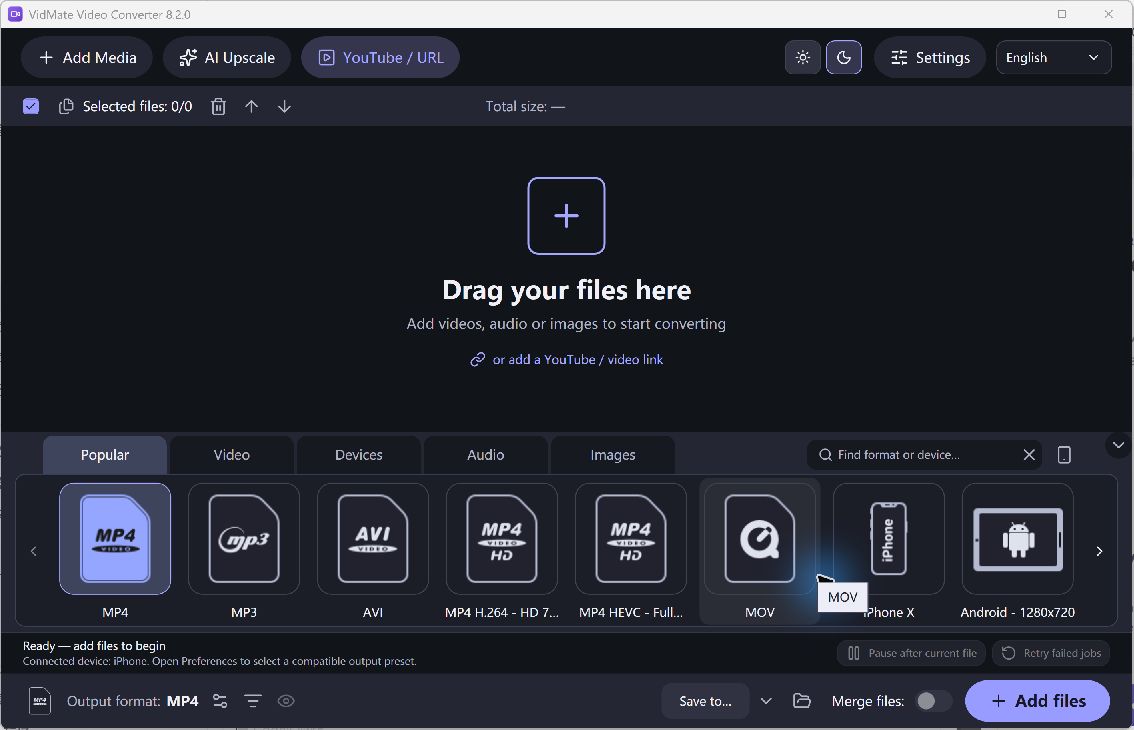
VidMate Video Converter · Actual Windows Application
Choose your task, review the settings and save the result.
Add a video or a group of files.
Choose an output preset and destination folder.
Run the queue and check your converted files.
Use the current free tools for these everyday tasks.
Choose MP4 or another supported output for your player, device or editing project.
Add several videos and process the queue with your chosen output settings.
Select an audio output to save the soundtrack from a supported video file.
Get the current free installer for your Windows PC.
For Windows
Completely Free to Use · No License Key Required
Optional setup offer: RelevantKnowledge. You can decline it and still use the app.
Setup selects the desktop shortcut and run-after-install options by default. You can change both. A separate RelevantKnowledge research offer is optional; declining it does not prevent installation or use of the main application.
VidMateVideoConverter.exe · 164,768,352 bytes
SHA-256
7c5df5df4261ee75ac2d0b44e24eaa060fd64e21361caf194fcbbabe2a7a3091
Check the current features and installation choices.
Yes. The current Windows converter is free to use without a license key. The other four current applications on this site are also completely free.
This download is the Music-Editor.net desktop video converter for Windows. It is not a mobile app or a streaming-video download service.
Yes. Add multiple files to the queue, review the output preset and destination, then start conversion.
Conversion changes the file format and encoding. It cannot recreate detail missing from the original, and stronger compression can reduce quality.
Yes. Setup may present a separate RelevantKnowledge research offer. You can decline it and still install and use VidMate Video Converter.
Get the free Windows converter and choose your output.
VidMate Video Converter · Windows Installer (.exe)
Download Free SoftwareCompletely Free to Use · No License Key Required
Windows 11 & 10 · 64-bit