
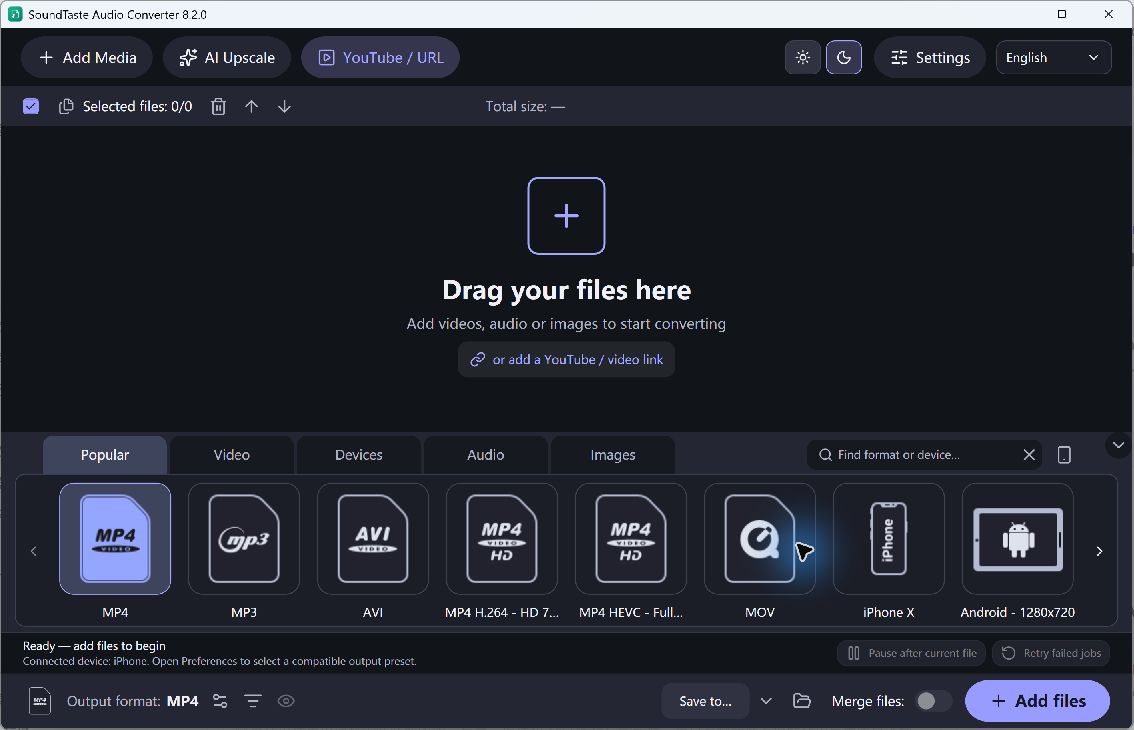
Batch conversion and joining solve different problems. A batch can produce one output for each source, while a joined job combines included files into a continuous result. SoundTaste includes conversion and join controls; choose the intended operation before starting, especially when your source list contains recordings in different formats.
Choose Separate or Joined Audio
- Prepare the Inputs. Add the audio you want to process and review which entries are included. Keep the originals in a separate folder so that an output cannot replace your only source.
- Set the Order. For a continuous file, arrange the included recordings in the listening order. Check beginnings and endings because a correct list can still contain unwanted silence or repeated material.
- Choose Separate or Joined Output. Use the Join files control when one combined result is intended. Leave it off when each source should remain a separate converted track.
- Choose the Audio Format. Select a suitable audio output and destination. Mixed source characteristics may require re-encoding; do not assume a joined result will retain every original stream unchanged.
- Check the New Files. Run the job, then listen to the output and inspect its duration. For a joined file, check every boundary rather than only the first track.
Check the Quality and Output
Joining does not guarantee seamless transitions or lossless processing for every mixture of files. Re-encoding can change quality, and an MP3 source cannot gain missing detail by becoming FLAC. Use Music Editor Free when you need detailed waveform edits or fades before assembling the result.
Convert a small group first to confirm whether the selected settings produce individual tracks or the single file you intended.